
The one fix that always works: scan it
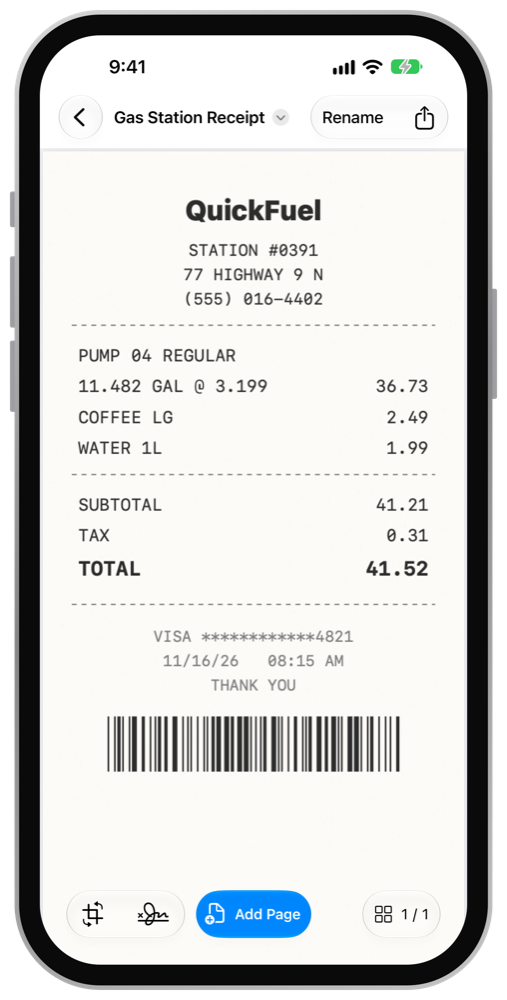
A scan doesn't fade. Once a receipt is saved as a PDF on your iPhone, it looks the same in five years as it did the day you got it, no matter what happens to the paper. That's why the best time to scan is right away, while the print is dark and sharp. Setrik Scan finds the edges of the receipt, scans it by itself, and straightens and cleans it up so it looks like a flat page instead of a curled strip on a countertop. After that, the paper is only a backup. Our guide on how to scan receipts walks through it step by step.
Why receipts fade in the first place
Most receipts are thermal paper: a smooth, shiny paper with a coating that turns dark where the printer heats it. That coating keeps reacting after you leave the store. Back in 1996, the National Archives warned that images on thermal paper are unstable and can start to deteriorate in as little as six months. It named heat and light as the main causes, plus chemicals in markers, cosmetics, and some plastic folders. That warning was about thermal fax paper, but it's the same kind of paper most stores still use for receipts. So the dashboard of a hot car, a sunny windowsill, or a pocket next to hand lotion is about the worst place a receipt can live.
How to keep receipts from fading if you keep the paper
Sometimes you need the original, like a receipt for a big purchase under warranty. You can't stop thermal paper from fading, but you can slow it down a lot. These habits cost nothing and take no extra time once they're routine.
Storage habits that slow the fading
Keep it cool and dark
A drawer or a box in a closet beats a wallet, a car, or a spot near a window.
Watch what touches it
Markers, highlighters, lotion, and some plastic sleeves can react with the coating. Write notes on an envelope instead of the receipt.
Use paper, not plastic
A plain paper envelope or folder is a safer home than a plastic sleeve that might react with the print.
Make a copy that isn't thermal
The old office fix was a photocopy on plain paper. A scan on your phone does the same job without the copier.
Is there a way to fix a faded receipt?
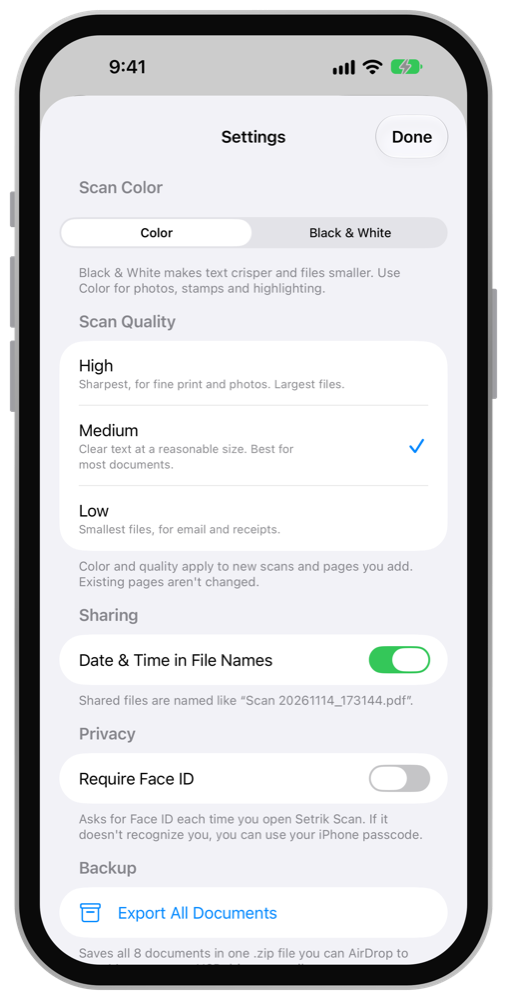
Sometimes a faint receipt can still be read, if the print is light rather than gone. Scan it in bright light on a dark surface, and choose Black & White in Setrik Scan's Settings, which often makes light print easier to read. Setting the scan quality to High keeps small print as sharp as possible. If a part of the page is the problem, you can crop or rotate that page after scanning. But once the print has faded away completely, no app or trick can bring back what isn't on the paper anymore.
If that's where you are, the receipt isn't always a lost cause. An emailed receipt, the store's app, or your card statement may show the same purchase, and some stores can look up a sale from the card you paid with. We cover those options in what to do when a receipt is lost, including what to try before you go back to the store.
Scan in one press
From pocket to scanning in a second.
How to keep receipts for years, not months
Some receipts need to outlast their paper by a long way. Tax receipts are often kept for three years or more, and receipts for a home or business equipment even longer. Picture a receipt for a new furnace: it's dark and clear today, and it may be the proof you need for a warranty claim years from now, long after the print has faded. For receipts like that, the real question isn't how to keep receipts from fading for a decade, because no paper storage will manage it; it's how to keep a copy you can trust.
Keep those scans in a folder for each year, and our guide on how long to keep receipts for taxes explains which ones matter. Your scans stay only on your iPhone. Setrik Scan never sends them to us, to Apple, or anywhere else, and a receipt leaves your phone only when you share it. Here's how Setrik Scan keeps your receipts private.
The bottom line
So, how to keep receipts from fading?
Store the paper somewhere cool and dark, keep it away from plastic, markers, and lotion, and don't write on it. That slows the fading, but it can't stop it. The fix that always works is a copy that isn't on thermal paper, and the easiest copy is a scan you make the day you get the receipt. That's the honest answer to how to keep receipts from fading: keep the paper if you need it, and rely on the scan. For a tidy place to put all those scans, here's how to organize receipts without a shoebox.
Clean, straight scans every time
Hold your iPhone over the page, and Setrik Scan finds it, scans it, and cleans it up.
See how scanning works