
Features
Share: send a PDF, or convert a PDF to JPG on iPhone
Send a document as a PDF to email, Messages, AirDrop, or Files. Or send it as pictures, so it opens on any phone, even an Android. And back up everything at once with Export all.
Everything stays on your iPhone. Setrik Scan never sends your scans to us, to Apple, or to anyone.

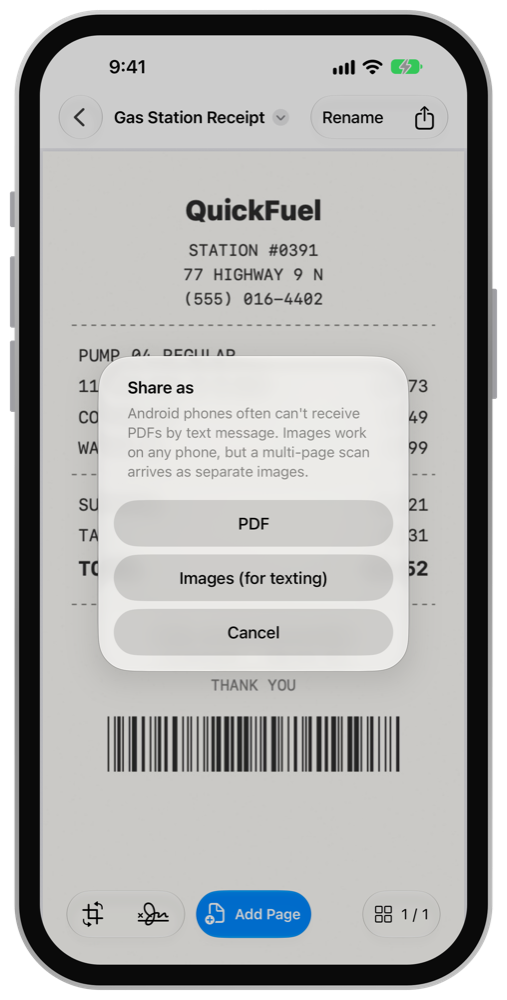
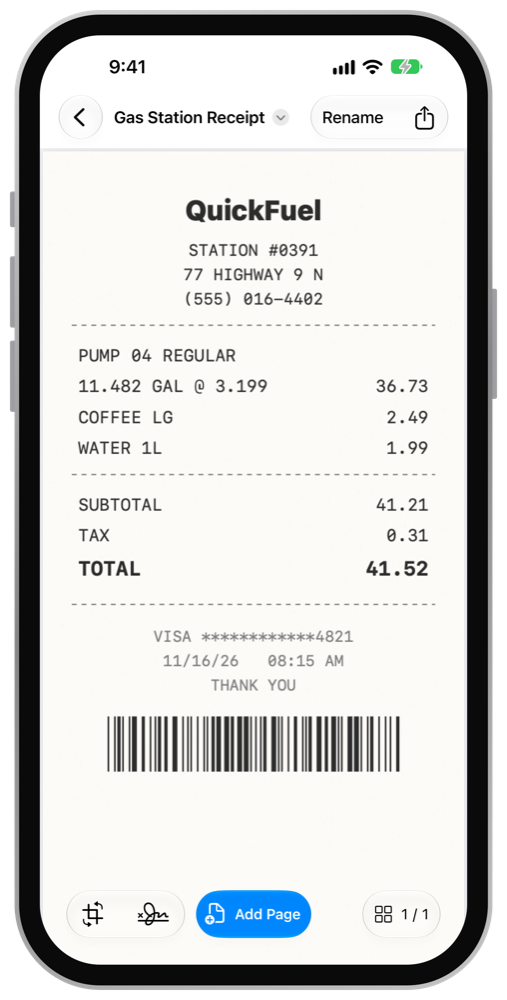
Share as PDF
A searchable PDF, anywhere you send it
Open a document and tap Share, or touch and hold it in the list. Choose Mail, Outlook, Messages, AirDrop, Save to Files, and more. To share several at once, tap Select first.
The words in the PDF can be searched and selected on any computer
File names can include the date and time so every file is unique (you can turn this off in Settings)
Share as images
Turn a PDF into JPG pictures for texting
Many Android phones can’t open a PDF sent by text message. Choose Images when you share, and Setrik Scan converts each page into its own JPG picture. Pictures open on any phone.
One page becomes one picture; a 3-page document becomes 3 pictures
Great for texting a lease page, a school form, or a receipt
The original PDF stays in Setrik Scan
Converting a PDF to JPG on iPhone
You don’t need a separate converter app. Scan the document with Setrik Scan, tap Share, and choose Images. Each page is saved or sent as a JPG.
Export all
Back up every document in one file
In Settings, tap Export All Documents. Setrik Scan puts everything, folders included, into one .zip file that you can AirDrop to a Mac, save to a USB drive, or email to yourself. It’s the easy way to keep a copy before you change phones.
Use it for
Where this comes in handy
Texting a form to anyone
Send pictures that open on any phone, iPhone or Android.
Emailing your accountant
Send searchable PDFs of every receipt they asked for.
Changing phones
Export everything to one .zip file before you switch.
More features
Works well with
Send it to anyone, on any phone
A PDF for email, pictures for texting. Your choice every time.