
Features
Everything inside the Setrik Scan scanner app for iPhone
Setrik Scan does a few things and does them well: it scans paper into clean PDFs, finds any document by a word inside it, lets you sign without a printer, and keeps every scan on your iPhone. Here’s the whole list.
Everything stays on your iPhone. Setrik Scan never sends your scans to us, to Apple, or to anyone.

The features
What Setrik Scan can do
Tap any feature to see how it works and what it’s good for.
Scanning
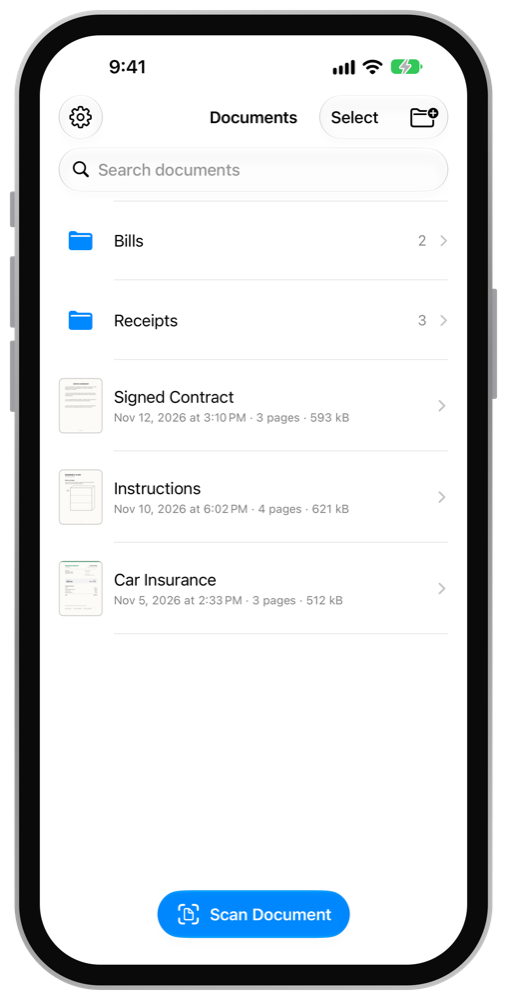
Point your camera at a page. A yellow outline finds it and scans it by itself, then straightens and cleans it up. Add more pages, and fix any page after.
How scanning worksSearch
Setrik Scan reads the words on every page, so you can find a document by anything printed on it, not just its name. It shows you the matching line.
How search worksSign and Mark Up
Draw your signature once and place it on any page. Add today’s date, text, or a checkmark, and highlight what matters.
How signing worksOrganize
Keep everything in one list, or make folders when you want them. Rename documents and reorder or delete pages.
How organizing worksShare
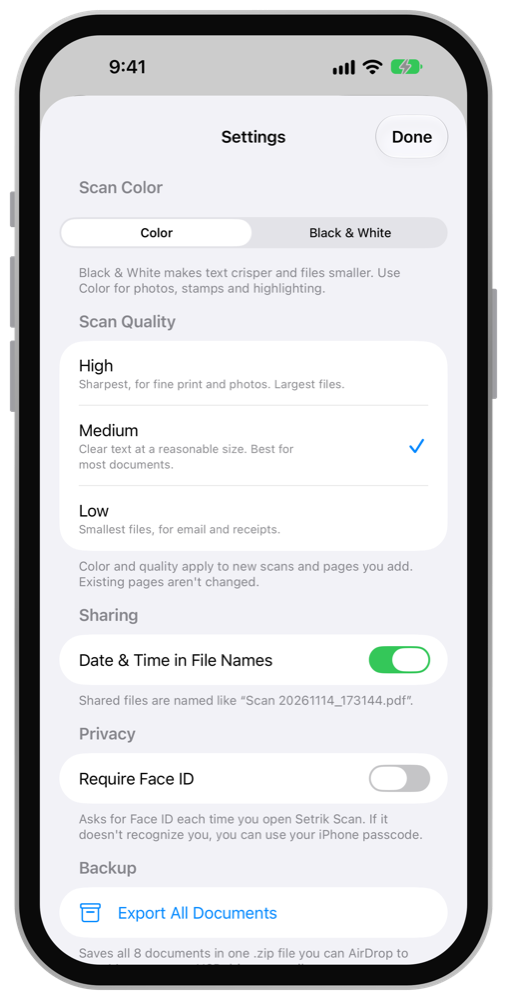
Send a PDF to email, Messages, or AirDrop, or send pictures that open on any phone. Back up everything at once with Export all.
How sharing worksQuick Scan
Start a scan from Siri, Spotlight, the Action Button, Control Center, the Lock Screen, or a widget.
How Quick Scan worksThe feature behind every feature
Private by design
Every feature on this page works entirely on your iPhone. There’s no account and no cloud. Setrik Scan never sends your scans to us, to Apple, or to anyone, and you can lock the app with Face ID.
The basics
Simple to own
For iPhone, iOS 26 or later
Free to download, and yours to keep
No subscriptions, no in-app purchases, no ads, no account
Works with no internet connection
Try every feature on your own receipts
Scan one today and search for it next month. It’ll be right there.