
Features
Organize: folders when you want them, one list when you don’t
Every scan lands in one simple list. When you’re ready, make folders for Receipts, Bills, Medical, or Taxes 2026, and move documents in with a tap.
Everything stays on your iPhone. Setrik Scan never sends your scans to us, to Apple, or to anyone.

Folders
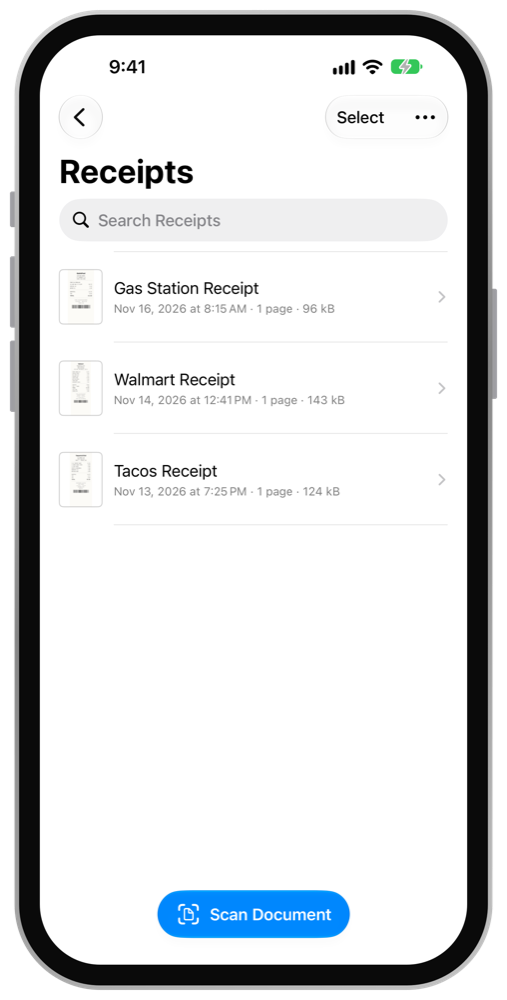
Optional folders, made in one tap
There are no folders until you want them. Tap the new-folder button, give it a name, and you’re done. Scan inside a folder and the new document saves right there.
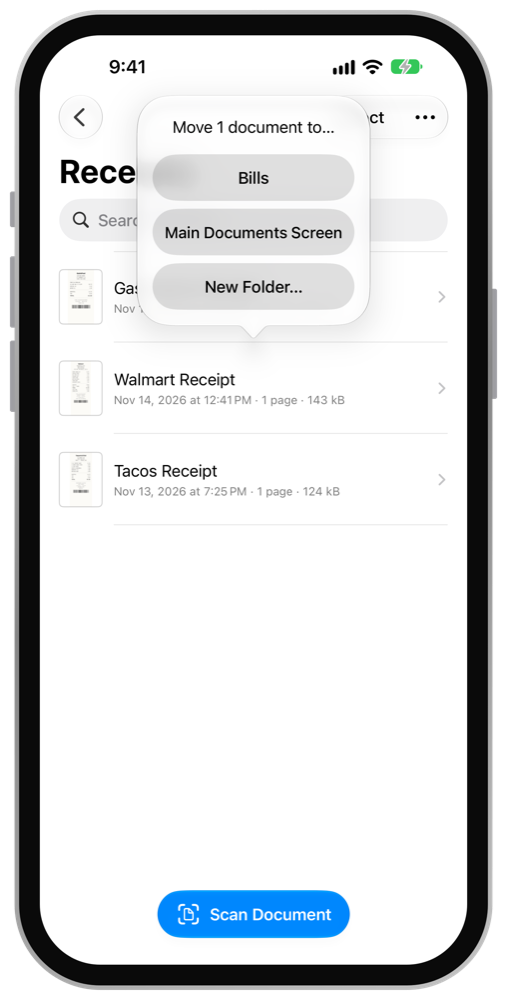
Move a document: touch and hold it, then choose Move to Folder
Move several at once with Select
Rename or delete a folder from its menu
Pages
Put pages in order, or take one out
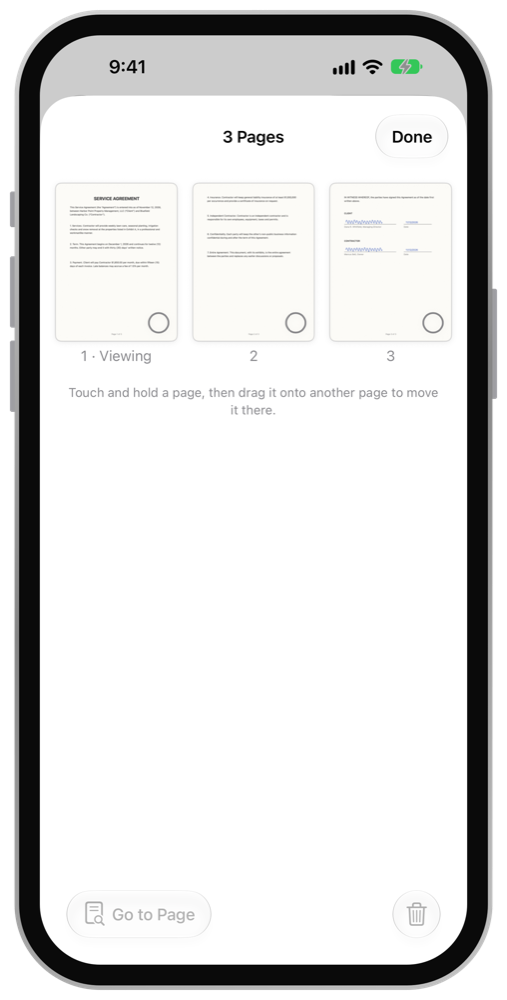
Open a document and tap the page button to see every page at once.
Drag a page onto another page’s spot to reorder
Select pages and tap the trash to delete them
Add more pages any time with Add Page
Names
Rename anything, any time
Tap Rename at the top of a document, or touch and hold it in the list. A short name like “Walmart Receipt” is plenty, because Search finds documents by the words inside them anyway.
Use it for
Where this comes in handy
A Receipts folder
Keep every receipt together for returns, budgets, and taxes.
A Medical folder
Insurance cards, prescriptions, and lab results in one private place.
A Taxes folder
Make one for the year and drop in everything your tax preparer will ask for.
More features
Works well with
Give every paper a place
Folders when you want them, search when you need it.